Download YouTube Subtitles Instantly with Our Free YouTube Subtitle Downloader
Watching videos just to capture a few lines wastes time. Our YouTube Subtitle Downloader lets you extract accurate subtitles from any YouTube video in seconds. Paste the link, click once, and get clean, readable text instantly. No rewinding, no pausing, no frustration. Video content becomes usable text you can save, study, or reuse.
 Stop Scrubbing. Start Reading Faster.
How Our YouTube Subtitle Downloader Works
Using the tool takes seconds and requires no setup. You paste a YouTube video URL into the input box and start the process. Our system analyzes the spoken content and extracts subtitles automatically. Within moments, you receive clean text you can copy or download. The entire workflow is built to be fast and frustration-free.
Whether the video is a long lecture or a short tutorial, the result is the same. You get the full spoken content without watching the video. That means faster studying, easier note-taking, and quicker content reuse. You stay focused on information, not playback.
 One Video per Request
Transcribe One Video at a Time
Paste one video link to generate its transcript. Save the result before choosing Start over to transcribe another video within your daily allowance.
 No Barriers
Download Subtitles Even Without Existing Captions
Most subtitle downloaders rely on captions uploaded by the creator. When those captions are missing, the tools simply fail. Our YouTube Subtitle Downloader works even when subtitles do not exist. It extracts spoken content directly from videos up to 120 minutes long.
This makes interviews, webinars, podcasts, and older videos accessible. You are no longer blocked by missing captions or poor formatting. If the content is spoken on YouTube, you can turn it into text. That freedom matters when information is locked inside video.
 Global Access
Download and Translate Subtitles in 60+ Languages
Language should never block access to information. Our YouTube Subtitle Downloader supports over 60 languages. You can extract subtitles from non-English videos and translate them into your preferred language instantly. No external tools or extra steps are required.
This is perfect for international research and language learning. It also helps teams working across regions and markets. You get clear, readable subtitles regardless of the original language. One tool handles extraction and translation together.
 Lightning Speed
Get Your Subtitles in Seconds
Speed is critical when working with large amounts of video content. Our tool delivers subtitles almost instantly after you paste the link. You do not wait through long processing screens or progress bars. The results appear fast enough to keep your momentum going.
Fast output means less context switching and fewer interruptions. When you process dozens of videos, those saved seconds turn into real time gained. Over days or weeks, the difference becomes massive. Efficiency compounds quickly.
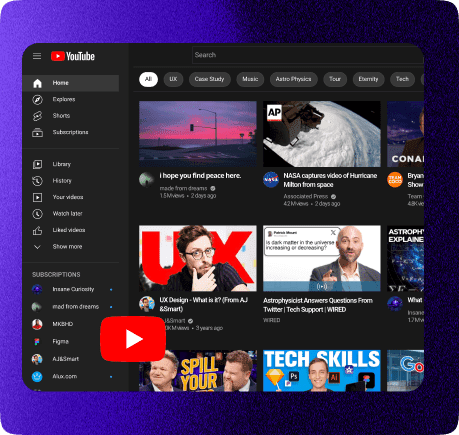
What Is a YouTube Subtitle Downloader?
A YouTube Subtitle Downloader converts spoken video content into text. It extracts subtitles from YouTube videos and makes them downloadable. The text can be used for studying, editing, research, or content repurposing. Instead of watching entire videos, you read what matters.
Why Downloading Subtitles Saves Serious Time
Most YouTube videos include filler like intros, ads, and tangents. Watching the entire video just to find key information is inefficient. Subtitles let you skip all of that. You read faster than you watch and search text instantly.
Downloaded subtitles allow quick scanning and referencing. You can highlight, quote, or reuse content without replaying footage. This makes learning faster and research cleaner. Time saved adds up quickly.
How to Download YouTube Subtitles for Free
The process is straightforward and takes less than a minute. First, copy the YouTube video URL from your browser. Next, paste it into the input box on this page. Click the download button to start extraction.
Frequently Asked Questions
Yes. Our YouTube Subtitle Downloader extracts spoken content even when captions are missing. It processes videos up to 120 minutes long without relying on uploaded subtitles. This makes it reliable for interviews, webinars, and older videos. You are never blocked by missing captions.
Absolutely. The tool supports more than 60 languages. You can extract subtitles from foreign-language videos and translate them into your preferred language. Translation happens instantly after extraction. This is ideal for international research and global learning.
Yes. You paste one video link per request. Save the subtitles before choosing Start over to process the next video. Each extraction counts toward your daily allowance.
The subtitles are highly accurate for most content. The system analyzes the full spoken transcript and outputs readable text. For extremely technical topics, light review is recommended. In general, the extracted text captures the core meaning reliably.
Pretty much everything. Educational videos, lectures, interviews, podcasts, and webinars work exceptionally well. Any content with clear speech produces strong results. Tutorials and conference talks are also ideal. Entertainment content works when clarity is the goal.
Yes. The YouTube Subtitle Downloader works smoothly on phones and tablets. No app is required. You can paste links, download subtitles, and read text directly in your mobile browser. The interface adjusts automatically.
Yes. Once downloaded, the subtitles are yours to use. You can copy them into documents, notes, scripts, or research files. There are no locked formats or usage restrictions. The text is fully reusable.