Merge Multiple PDFs Into One Clean, Perfect File
Bring all your scattered PDFs together in seconds. Keep your workspace clean, your mind clear, and your document ready to share, save, or print.
- 1
Open the AISEO Merge PDF page on your browser
- 2
Upload all the PDF files you want to combine
- 3
Arrange your files in the order you want them
- 4
Click the "Merge" button to process your files
- 5
Download your merged PDF ready to share or store
Combine PDFs. Keep your sanity.

Merge with Ease

Instant Combination

Simple Interface

Private and Secure

Fast and Reliable

No account needed for the daily allowance
Why Merging PDFs Can Be a Lifesaver
Combining multiple PDFs into one clean file isn't just about neatness. It's about saving time, staying organized, and keeping your work easy to manage and share.
Better Organization
All your files live in one document: no more hunting through dozens of separate files.
Professional Appearance
A single, well-arranged PDF looks cleaner and shows you're prepared and serious.
Easier Sharing
Send one complete file instead of multiple attachments, simple for everyone.
Improved Productivity
Small time-savers add up; keep your workflow smooth and focus on what matters.
AISEO's Merge PDF Tool vs. Others
Not every merge tool delivers the same level of ease, speed, and safety. Here's how our tool stands apart from the rest.
| AISEO's Merge PDF | Other Tools | |
|---|---|---|
| Instant PDF Merging | ||
| No account required for the daily allowance | ||
| Browser-Based and Secure | ||
| Auto File Deletion After Merge | ||
| Works with Large Files Smoothly | ||
| Simple, Clean Interface |
What AISEO's Merge PDF Tool Really Does for You
When you have five, ten, or even twenty separate PDF files, handling them becomes messy. Searching through each one, naming them, and sharing them eats up valuable time you could spend on something that actually matters. AISEO's Merge PDF tool solves that. It lets you join all your PDF documents into one organized file instantly. You upload, merge, and get a polished, professional document in seconds: no extra clicks or complex settings. This tool isn't just convenient. It helps you stay focused and avoid digital chaos. With one merged PDF, you'll never worry about missing pages, mixed files, or version confusion again.

Instant Combination - Merge All Your PDFs in One Click
AISEO's Merge PDF tool lets you combine several PDF files into one neat, organized document without any confusion or technical hassle. You don't need to install anything or set up an account. Just upload your files, press merge, and within seconds, you'll have one clean file ready for download. The process is smooth, practical, and built to save you time. Instead of juggling multiple documents, you get everything neatly arranged in one place. Whether you're handling business reports, invoices, school projects, or contracts, merging them all takes only a few seconds.
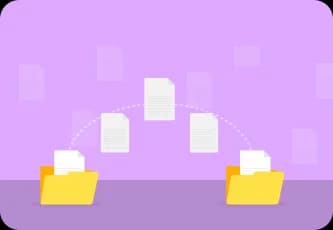
Simple Interface - Anyone Can Use It Without Instructions
AISEO's Merge PDF tool is built for everyday people, not software engineers. It's simple, clean, and direct. Every button and feature is designed to make sense at first glance. You'll never feel lost or unsure about what to do next. To use it, you just drag your files into the window, arrange them in the order you want, and hit merge. That's it. The tool takes care of the rest. There's no learning curve, no manual, and no complicated process to follow. Everything feels natural from the first click.
Who Needs PDF Merging?

Business Professionals

Students

Legal Teams

Freelancers
Other Free PDF Tools

Compress PDF

PDF to Word

PDF to JPEG

Rotate PDF
Password-Protect PDF

PDF to CSV
Frequently Asked Questions
No, your files are never stored online. The entire merging process happens directly inside your web browser, ensuring that your documents remain private and fully under your control. Once the merge is complete, your uploaded files are automatically deleted from the system. Nothing is saved, nothing is shared, and nothing is sent to external servers.
No, AISEO's Merge PDF tool requires an internet connection since it operates through your browser. However, it's designed to be lightweight, so it works even with slower connections without lag.
Yes. The final file is a standard PDF that opens smoothly on any device or operating system. You can share it via email, upload it to cloud storage, or view it using any PDF reader without compatibility issues.
Absolutely. AISEO's Merge PDF tool uses a privacy-first design. Since all processing happens in your browser, your documents never leave your device. Once the process is finished, the files are automatically deleted. You can merge personal or professional files with complete peace of mind.
No. Once your merged PDF is ready, you can download it immediately without signing up. The download link appears instantly, and the file saves directly to your device. It's that simple.
If your connection is interrupted, the process will stop safely without losing your data. Once you reconnect, simply reload the page, re-upload your files, and merge again. The tool will pick up right where you left off.
In most cases, the process takes only a few seconds. Even larger files with hundreds of pages merge quickly because the tool is optimized for performance. You won't have to wait through long loading screens or complicated steps.
There is a size limit for free users, but it's generous enough for most regular tasks. For larger or more complex files, upgrading to the premium version gives you extended capacity and faster performance.